
This document is a quick guide for the HT-DD5000 G home theater system, providing instructions on how to use the remote control and connect the system.
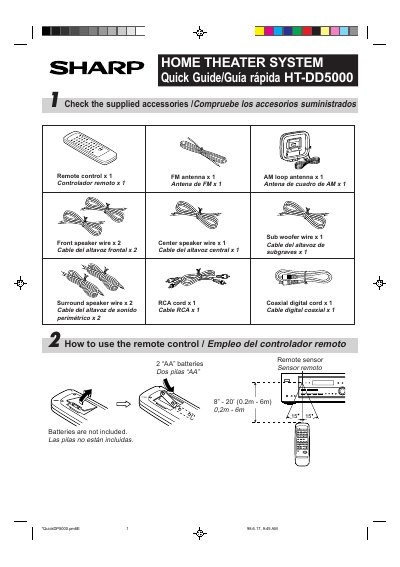
This document is a quick start guide for the Sharp HT-DD5000 Home Theater System. It lists included accessories such as remote controls, antennas, and speaker wires. The guide provides instructions on how to use the remote control batteries and sensor, along with diagrams showing where to connect various audio and video sources like DVD players, VCRs, CD decks, and stereo turntables. This manual is written in Spanish.
As long as the STAND-BY indicator is lit, use the POWER button on the remote control.
The remote control requires two AA batteries, which are not included in the package.
The system operates on 120 V of AC power at 60 Hz.
Holding the VOLUME control in the + position increases the volume, while holding it in the - position decreases the volume.