
The EIP-WX5000/WX5000L Quick Guide introduces the basic operation of the projector, including connecting to the computer, adjusting the angle, focusing, zooming, selecting the input mode, and correcting image distortion.
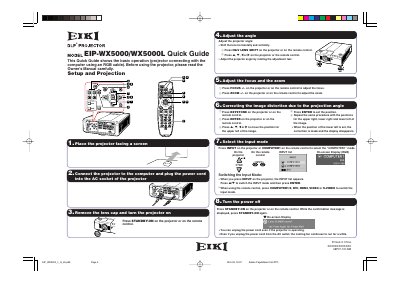
This document serves as a Quick Guide for the EIKI EIP-WX5000 and EIP-WX5000L DLP projectors. It provides basic instructions for setting up the device, including connecting it to a computer via an RGB cable and powering it on. The guide covers essential steps such as adjusting the lens shift, focus, and zoom, as well as configuring the keystone correction for the image.
The guide specifies connecting the projector to the computer using an RGB cable.
Press H&V LENS SHIFT on the projector or remote control, then press A, V, 4, or P to move the image.
Press FOCUS +/- or ZOOM +/- on the projector or remote control to make adjustments.