
The LAN Client Authentication solution explains how to configure Allied Telesis switches to ensure that ALL devices connecting to the network can be authenticated and identified. The solution also explains how to configure Microsoft Windows 2008 Server as the authentication server within the network, and how to use the highly secure certificate-based method of user authentication.
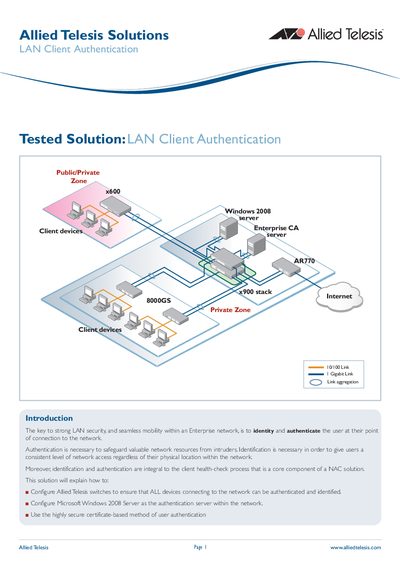
This document describes a tested solution for implementing strong LAN security and seamless mobility within an enterprise network using the Allied Telesis x600 switch. The solution focuses on identifying and authenticating users at their point of connection to safeguard network resources.
The guide covers configuring the x600 switch for triple authentication (802.1x, MAC-based, and Web-based) in a Private/Public zone. It provides step-by-step instructions for setting up the Microsoft Windows 2008 Server as the authentication server, including installing Active Directory and the Network Policy Server (NPS). Additionally, it details how to configure client PCs to perform 802.1x authentication and how to obtain and use certificates for secure user authentication.
Only registered client PCs configured for 802.1x authentication and printers or scanners that fall back to MAC-based authentication are allowed.
The ports are configured for triple authentication, enabling 802.1x, MAC-based, and Web-based authentication.
The DHCP lease time is set to 30 seconds to ensure the PC renews its lease quickly after authentication.