
SIRIUS POWERCONNECT SECOND VEHICLE KIT Installation Manual

This document describes how to select and install the location of the SiriusXM vehicle receiver.
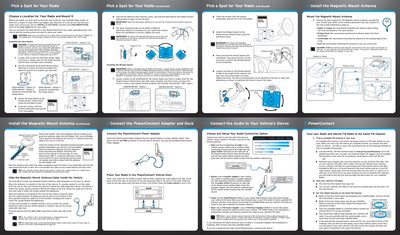

SIRIUS POWERCONNECT SECOND VEHICLE KIT Installation Manual - cover page
Brand
SIRIUS
Category
Car Accessories
Document type
User Manual
Language
English
Pages
2
File format
PDF
File size
2.3 MB
Published
06 July, 2012
Updated
30 September, 2023
MD5 checksum
99660D9ED0A27B3BB48D9FFA46610A6F

About this manual

This manual provides step-by-step instructions for installing the SIRIUS POWERCONNECT Second Vehicle Kit. It details how to choose a mounting location, install either the Dash Mount or Window Mount, and route the antenna cable safely within the vehicle. The guide also explains how to connect the dock to the vehicle's power source and audio system.

What's inside

  • Pick a Spot for Your Radio
  • Instatling the Dash Mount
  • Installing the Window Mount
  • Connect the PowerConnect Adapter and Dock
  • Place Your Radio in the PowerConnect Vehicle Dock
  • Connect the Audio to Your Vehicle's Stereo
  • Install the Magnetic Mount Antenna
  • Tune your Radio and Vehicle FM Radio

Frequently asked questions

What temperature is required to install the Dash Mount?

The air temperature must be at least 60°F (15°C) during installation.

How long must the Dash Mount adhesive cure before use?

You must allow the adhesive to cure for at least 24 hours before using the mount.

Where should the Magnetic Mount Antenna be placed on a Sedan or Coupe?

It is recommended to mount the antenna above either the front windshield or the back window.

Download PDF (2.3 MB)

More SIRIUS Manuals


View all SIRIUS manuals →