
InFocus C175/C185 Digital Projector User Manual

This is the user manual for C175 C185 projector.
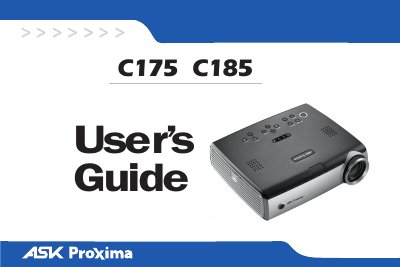

InFocus C175/C185 Digital Projector User Manual - cover page
Brand
ASK
Category
Projector
Document type
User Manual
Language
English
Pages
39
File format
PDF
File size
6.8 MB
Published
06 July, 2012
Updated
30 September, 2023
Models
C175, C185
MD5 checksum
14C0E32A3E9246C5FFF0DF2A6C72280D

About this manual

This manual covers the InFocus C175 and C185 digital projectors, which feature XGA 1024x768 resolution and support both computer and video inputs. It details the necessary connections for desktops, laptops, and video devices, as well as how to display images and adjust settings via the keypad or remote control.

What's inside

  • Connecting a computer
  • Displaying a computer image
  • Using the keypad buttons
  • Using the remote control
  • Optimizing computer images
  • Presentation features
  • Maintenance
  • Replacing the projection lamp
  • Troubleshooting your setup
  • Using the menus

Specifications

ResolutionXGA 1024x768
ManufacturerInFocus Corporation

Frequently asked questions

What models does this manual cover?

This user's guide applies to models IN32, C175, W320, IN34, C185, and W340.

How do I activate the warranty?

Register your projector on the InFocus website at www.infocus.com/register to activate your warranty.

What is the recommended placement for the projector?

Place the projector in a horizontal position no greater than 15 degrees off axis in a well-ventilated area.

Download PDF (6.8 MB)

More ASK Manuals


View all ASK manuals →