
Key facts
- Manuals
- 23
- Models
- 10
- Categories
- 1
- Languages
- ZH
- Last added
- 2012-08-02
ASK models by category
Featured ASK manuals
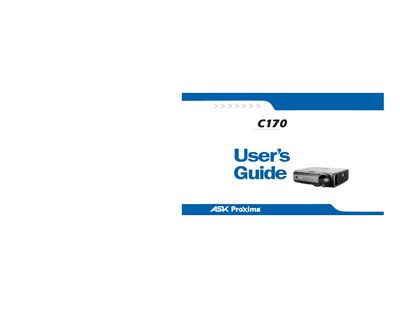
ASK Proxima C170 Projector user manual
This guide explains how to set up and operate the InFocus C770 digital projector. It covers connecting a computer or video source, adjusting the image, using the remote control and LitePort playback, and configuring menus for custom settings.
Safety, maintenance, and troubleshooting sections provide instructions for proper placement, ventilation, lamp replacement, cleaning, and error‑code diagnosis to ensure reliable performance and longevity. This manual is written in Chinese.
Covers: Introduction · Connecting a Computer · Displaying Computer Image · Adjusting Image · Connecting Video Device · Displaying Video Image
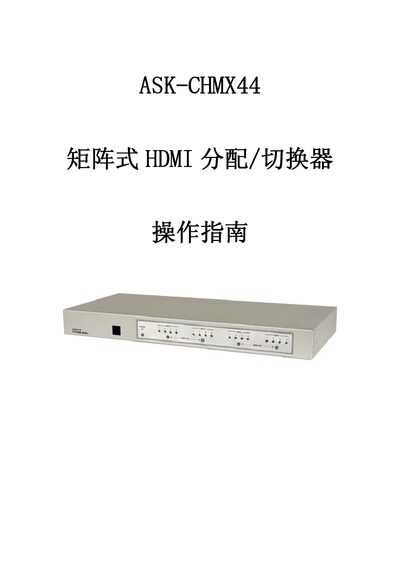
ASK CHMX44 Matrix HDMI Switcher Operating Instructions
The ASK CHMX44 is a high‑performance matrix HDMI switcher with remote control, allowing any HDMI source to be routed to any of the four outputs. It includes signal compensation, timing/phase correction, and flicker elimination, supporting transmission up to 25 m and daisy‑chain stacking.
The manual describes front‑panel buttons, rear‑panel connections, remote‑control functions, RS‑232 command set, and technical specifications such as bandwidth, dimensions, and supported resolutions. This manual is written in Chinese.
Covers: Introduction · Features · Package Contents · Front Panel Buttons and Functions · Rear Panel Connections · Remote Control
InFocus C175/C185 Projector User Manual
This guide covers everything needed to install and use the InFocus C175/C185 digital projector, including computer and video connections, image adjustment, remote control operation, audio setup, and presentation features. It also details safety precautions, lamp handling, and maintenance procedures.
The manual includes a table of contents, detailed step‑by‑step instructions, diagrams, and an appendix with image‑size calculations, helping users achieve optimal image quality and prolong lamp life. This manual is written in Chinese.
Covers: Introduction · Connecting Computer · Connecting Video Device · Adjusting Image · Using Control Panel · Using Remote

InFocus Proxima C130 User Manual
The InFocus Proxima C130 is a digital projector designed for both business presentations and home video use. This manual provides step‑by‑step instructions for safe installation, proper placement, and connecting computers or video sources.
Key sections cover connector panels, image size calculations, lamp maintenance, and troubleshooting red‑LED error codes. Safety warnings, FCC/CE compliance information, and optional accessories are also included. This manual is written in Chinese.
Covers: Introduction · Projector Placement · Connector Guide · Computer Connection · Video Connection · Image Adjustment
Latest ASK manuals
ASK Proxima Lamp Information Guide
This guide provides information about the lamps for Proxima C110, C160, C180 projectors, including lumens, lamp life, checking lamp hours and resetting lamp hours
ASK M1 projector user manual
This document is a user manual for the M1 personal projector, including the features and characteristics of the projector, operation methods, etc.
ASK A9 projector user manual
This manual provides the set-up and adjustments process for the projector connected to a single computer.
ASK C420 projector user manual
This manual is provided as a free service by Projector.com. It is a review and buying guide resource for DLP and LCD video projectors. The manual includes projector specifications and user manuals.
ASK Proxima M6 Reference Guide
ASK Proxima C440/450 Projector Manual
This product contains chemicals, including lead, known to the State of California to cause birth defects or other reproductive harm. Wash hands after handling. This product has a lamp which contains a very small amount of mercury. Dispose of it as required by local, state, or federal ordinances and regulations. For more information, see www.eiae.org. This entire user’s guide is available on the enclosed CD as an Adobe Acrobat pdf file in the following languages: English, French, German, Italian, Norwe- gian, Portuguese, Spanish, Russian, Japanese, Korean, Traditional Chinese, Simplified Chinese. Before using this projector, please read these instructions.
ASK Proxima C445 user manual
This document is the user guide for a product manufactured by InFocus Corporation. The product conforms to European directives and norms, and has good electromagnetic compatibility and safety. The document mentions some trademarks and registered trademarks, as well as FCC warning information.
ASK Proxima C410/420 user manual(1)
This is a projector that supports multiple languages
ASK Proxima C250/C250W/C315 user guide
This document provides a quick start guide for the C250 C250W C315 series projectors, including unboxing, remote control usage, projector functions, status indicator panel, etc.
ASK Proxima C175/C185 user manual
This is the user manual for C175 C185 projector.
ASK Proxima C160/C180 user manual(1)(1)
This user's guide provides instructions on how to use the projector, including safety precautions, installation instructions, operating instructions, and troubleshooting.
ASK Proxima C170 user manual
This document is the user manual for InFocus projectors, which introduces the functions, features, usage methods, maintenance and maintenance of the projectors.
ASK Proxima C160/C180 user manual(1)
This document is a user guide that provides instructions on how to use the product. It covers the features and characteristics of the product, as well as detailed information on how to use it.
ASK Proxima DLP Projector user manual
This document is the user manual of the DLP™ projector, which introduces the use and precautions of the projector.
ASK Proxima C170 Projector user manual
User Manual 44 pages · 2.5 MB · ZHInFocus C770 projector user guide with setup, connection, operation, and maintenance instructions.
- 1
- 2
Which document do I need?
User Manual
Day-to-day operation, settings and troubleshooting. Start here if the product is already set up.
Questions answered in ASK manuals
How do I connect a computer to the projector?
Connect the black end of the computer cable to the projector’s Computer 1 connector and the blue end to the computer’s video output; also connect the power cable to the projector.
How can I replace the projector lamp?
Turn off and unplug the projector, remove the lamp module, replace it with a new lamp, and reset the lamp timer as described in the maintenance section.
How do I switch the HDMI source for output A?
Press the “HDMI OUT A” button repeatedly until the desired source is selected; the corresponding indicator light will turn on.
From: ASK CHMX44 Matrix HDMI Switcher Operating Instructions
What is the maximum HDMI cable length supported?
The device can transmit HDMI signals up to 25 meters.
From: ASK CHMX44 Matrix HDMI Switcher Operating Instructions
How do I connect a computer to the projector?
Connect the black end of the computer cable to the Computer 1 port on the projector and the blue end to the computer’s video port, then plug in the power cord.
How do I replace the lamp safely?
Turn off the projector, unplug the power cord, wait 60 minutes for cooling, invert the unit, pry off the lamp cover with a flat‑head screwdriver, and remove the lamp module.