
Uniden DECT1560 Series Cordless Telephone User Manual

This document provides instructions on how to install and use the Uniden Cordless Telephones DECT1560 Series 2, as well as information about the features and functions of the product.
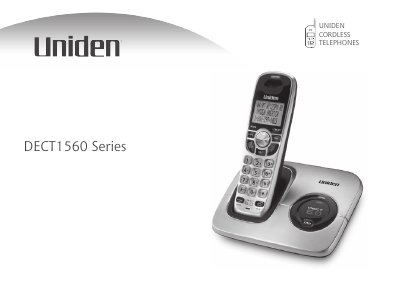

Uniden DECT1560 Series Cordless Telephone User Manual - cover page
Brand
Uniden
Category
Telephone
Document type
User Manual
Language
English
Pages
64
File format
PDF
File size
2.7 MB
Published
05 July, 2012
Updated
28 September, 2023
MD5 checksum
2B7A47660CBEE9C73BA2F99178626F1C

About this manual

The Uniden DECT1560 Series is a multi-handset cordless telephone system designed for home use. This manual guides users through the initial setup process, including installing the battery packs (BT-1015), connecting the AC adapter (PS-0012 or PS-0007), and linking the base to the phone line. It also covers best practices for placing the unit to ensure optimal range and performance.

What's inside

  • Installing the Phone
  • Charging the Handset
  • Connecting to the Phone Line
  • Getting to Know Your New Phone
  • Basic Setup
  • Using Your Phone
  • Customizing Your Handsets
  • Maintenance
  • Troubleshooting

Frequently asked questions

How long should I charge the handset before first use?

You should charge your handset at least 15 to 20 hours before plugging into the phone line.

What is the expected talk time on a full charge?

With average use, the battery provides more than ten hours of talk time.

Which AC adapter should be used with the base?

To avoid risk of fire and shock, only use the Uniden PS-0012 AC adapter with the base.

Download PDF (2.7 MB)

More Uniden Manuals


View all Uniden manuals →