
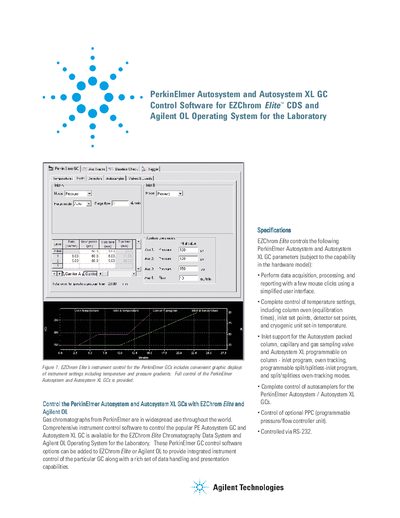
EZChrom Elite instrument control software can control the PerkinElmer Autosystem GC and Autosystem XL GC, providing graphic displays of instrument settings including temperature and pressure gradients. Full control of the PerkinElmer Autosystem and Autosystem XL GCs is provided.
This document describes EZChrom Flite and Agilent OL Operating System for the Laboratory, software solutions designed to control PerkinElmer Autosystem and Autosystem XL Gas Chromatographs. The software provides integrated instrument control alongside data handling and presentation capabilities.
| Compatible GC Models | PerkinElmer Autosystem and Autosystem XL |
|---|---|
| Connection Interface | RS-232 |
| Max Connected Units | Up to four (4) |
| Minimum ROM Version (Autosystem A) | 1-8 |
| Minimum ROM Version (Autosystem XL A) | 3.300 |
It controls PerkinElmer Autosystem and Autosystem XL GCs.
Yes, it can manage Microsoft Office files, e-mails, Adobe pdf files, and more.
The minimum required ROM version is 1-8.