
This manual introduces the use and precautions of Infrared (IR) Thermometer
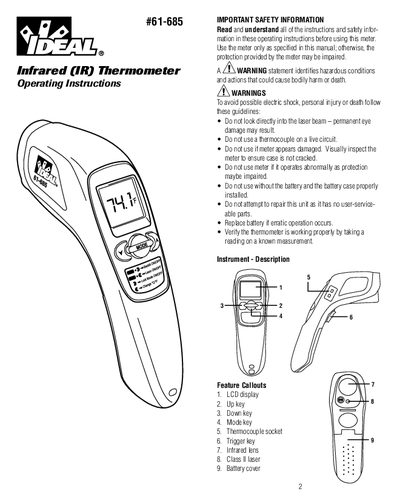
This manual provides operating instructions for the IDEAL 461-685 Infrared Thermometer. It details safety warnings, such as avoiding direct laser exposure and not repairing the unit, and explains how to use the device to measure temperature non-contactly. The thermometer features an LCD display, a Class II laser for aiming, and adjustable emissivity settings for various materials.
| Operating Range | 32 to +122°F (0 to +50°C) |
|---|---|
| Emissivity Range | 0.1 to 1 |
| Distance: Spot Ratio | 12:1 |
| Battery Life | Typ. 180 hours |
| Weight | 221.8 grams |
The default emissivity setting is 0.95.
The device will monitor temperatures for up to 60 minutes in Lock Mode.
The low battery icon will appear, and measurements may become erratic or impossible.
It indicates that the ambient temperature exceeds 32°F (0°C) or 122°F (450°C).