
Olympus P-400 Digital Color Printer Installation Guide

Introduction to connecting the P-400 printer with a parallel cable and USB cable
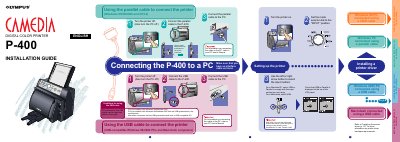

Olympus P-400 Digital Color Printer Installation Guide - cover page
Brand
Olympus
Category
Printer
Document type
Installation Guide
Language
English
Pages
2
File format
PDF
File size
680 KB
Published
08 June, 2012
Updated
01 October, 2023
MD5 checksum
A7C976DA05BCFE315A2BE90C4AC8AB36

About this manual

This document provides instructions for installing the Olympus P-400 Digital Color Printer. It details how to connect the device to a PC using either a parallel cable or a USB cable, including specific conditions required for each connection method such as operating system compatibility (Windows 95/98/2000, NT4.0, Macintosh).

What's inside

  • Connecting the printer
  • USB cable conditions
  • Setting up input mode
  • Installing the printer driver
  • Macintosh installation

Frequently asked questions

How do I set the input method on the printer?

Use the directional buttons to cycle through settings in this order: SmartMedia, PC card, Parallel, USB.

What operating systems are supported for connecting the printer with a parallel cable?

The printer supports Windows 95, 98, 2000, and NT4.0 when using a parallel cable.

What are the conditions for using the USB cable to connect the printer?

The USB cable works with PCs pre-installed with Windows 98 or 2000, USB-guaranteed PCs, and USB-guaranteed Macintosh computers with a compatible OS.

How does the printer cycle through input settings when using the directional buttons?

Pressing the buttons cycles the settings in the order of SmartMedia, PC card, Parallel, and USB.

Download PDF (680 KB)

More Olympus Manuals


View all Olympus manuals →