
This document is about the update notes of Varian MS Workstation Version 6.9.2, which mainly includes system requirements, installation methods and usage precautions.
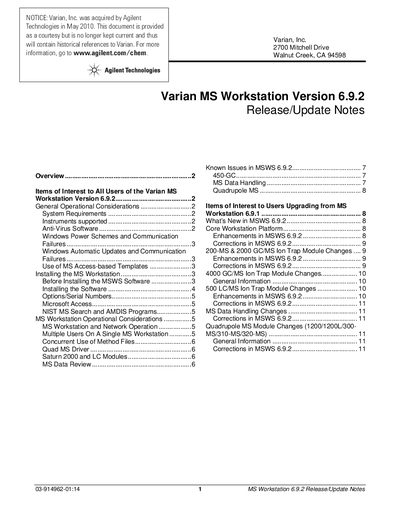
This document serves as the release and update notes for Varian (now Agilent) MS Workstation software version 6.9.2. It outlines items of interest to all users, including general operational considerations such as system requirements, anti-virus software recommendations, and power scheme settings to prevent communication failures.
The guide also provides specific instructions for users upgrading from previous versions, highlighting enhancements and corrections made in this release. Detailed sections cover changes across various instrument modules, including the 200-MS, 4000 GC/MS Ion Trap, 500 LC/MS, and Quadrupole MS models.
| Operating System | Windows 2000 or XP Professional |
|---|---|
| Processor Requirement | Pentium III (or higher), at least 1 GHz |
| Video Resolution | 1280 x 1024 x 256 resolution or greater |
| RAM Requirement | At least 1GB RAM |
The software supports GC/MS models including the 300-MS, 320-MS, 200-MS, 240-MS/4000, Saturn 2000, 1200, and 1200L, as well as LC/MS models like the 310-MS, 320-MS, 1200L, and 500-MS.
No, MSWS 6.9.2 does not include drivers for the 430-GC, the 920-LC, or the 940-LC models.
Users are recommended to avoid selecting the 'Automatic (Recommended)' option and instead choose 'Download updates for me, but let me choose you when to install them' to prevent automated restarts.