
This document is the operation guide of DQR-100U clock, which introduces the basic functions and usage methods of the clock.
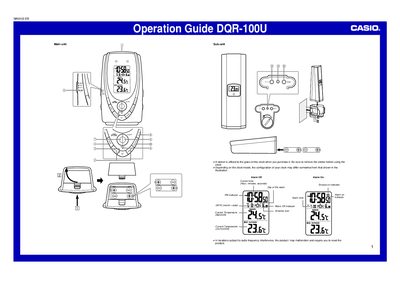
The Casio DQR-100U is a wireless digital clock that features automatic time reception from Rugby, England. It includes both a main unit and a sub-unit for monitoring indoor and outdoor temperatures via wireless transfer. The device allows users to manually set the time and date if signal reception fails.
| Signal reception range | approximately 1,000 kilometers |
|---|---|
| Temperature measurement interval | every 16 seconds |
| Low temperature display limit | -50°C (-58°F) |
| High temperature display limit | 70°C (1 58°F) |
The clock receives the signal eight times each day at specific hours.
You should not perform any button operations during signal reception to ensure stability.
Press the SNOOZE/LIGHT button to stop the alarm sound.
Change the clock's position or orientation and press the WAVE button to receive again.