
This document is the operation guide for DQR-200U, providing information on things to note when purchasing, as well as the configuration and features of the clock.
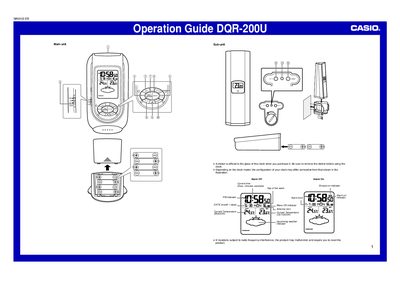
The Casio DQR-200U is a digital clock that features automatic time calibration by receiving signals from Rugby, England. Users can also set the time and date manually if they are outside the signal range. The device includes an alarm function with snooze capabilities and allows for temperature monitoring in both Celsius and Fahrenheit.
| Signal Reception Range | approximately 1,000 kilometers from Rugby, England |
|---|---|
| Year Setting Range | 2000 to 2039 |
| Signal Reception Frequency | eight times each day |
Use the Alarm Time Set buttons to change the digits until the desired time appears.
The antenna icon disappears from the display, and you should try changing the clock's position or pressing the WAVE button again.
Yes, press the °C/°F button on either the main unit or sub-unit to toggle between Celsius and Fahrenheit.