
Casio PQ-32/32B/DQ-545/545B Operation Guide

This instruction manual introduces the basic usage methods of PQ-32/32B and DQ-545/545B alarm clocks, including setting time, using alarm, etc.
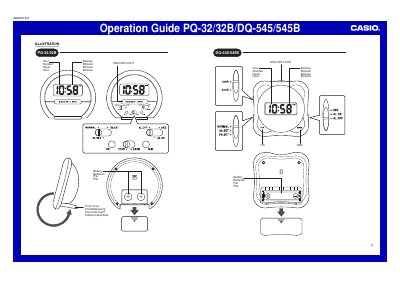

Casio PQ-32/32B/DQ-545/545B Operation Guide - cover page
Brand
Casio
Document type
User Manual
Language
English
Pages
2
File format
PDF
File size
461 KB
Published
06 June, 2012
Updated
30 September, 2023
MD5 checksum
C4EB9D5BB73FEA7195E3FACCDDB236B0

About this manual

This document serves as an operation guide for the Casio PQ-32/32B/DQ-545/545B series of digital clocks. It details how to set the time and alarm using the selector switch and HR/MIN buttons, including instructions for the Snooze/Light function.

What's inside

  • Setting the Time
  • Using the Alarm
  • Illuminating the Display
  • Battery Replacement

Frequently asked questions

How long does the alarm sound before it repeats if the snooze feature is on?

When the snooze feature is turned on, the alarm will sound again in about 8 minutes.

How long does the display light stay on after holding down the button?

The light goes out automatically after about two seconds, even if you keep the button depressed.

How often should the batteries be replaced regardless of their current condition?

You should replace the batteries at least once a year, even if the current batteries are working properly.

Download PDF (461 KB)

More Casio Manuals


View all Casio manuals →