
This headset can be connected to music players and Bluetooth mobile phones, has high-performance stereo headphones, and when a call comes in, the music will fade so you can choose to answer or continue listening. It is also flexible to use your own headphones with a standard 3.5mm jack and still enjoy the same dual functionality.
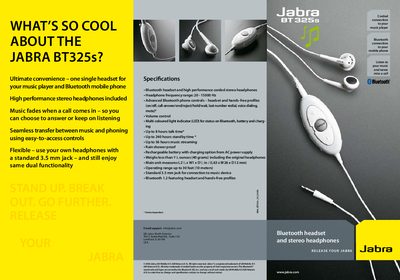
The Jabra BT325s combines a Bluetooth adapter with high‑performance stereo headphones, allowing you to listen to music from a stand‑alone player while staying connected to a mobile phone. It features a 3.5 mm jack, rain‑shower proof construction, and a rechargeable battery with up to 8 hours of talk time.
This manual explains how to charge the device, pair it with a phone, control calls and music, and use the headset with your own headphones. Quick‑start steps, button functions, and specifications are included to help you get the most out of the headset.
| Headphone frequency range | 20‑15000 Hz |
|---|---|
| Talk time | Up to 8 hours |
| Standby time | Up to 240 hours |
| Music streaming time | Up to 56 hours |
| Operating range | Up to 30 feet (10 m) |
| Weight | 40 g |
| Dimensions | L63 × W26 × D12 mm |
| Bluetooth version | 1.2 |
| Rain‑shower proof | Yes |
| Audio jack | Standard 3.5 mm |
The headset provides up to 8 hours of talk time and up to 240 hours of standby time on a full charge.
Yes, simply plug the included 3.5 mm cord into your music device; the headset does not need to be powered on for music playback.