
This product is an Epson Stylus SX510W printer, which features fast, high-quality, wireless connectivity, large LCD screen and storage card slots.
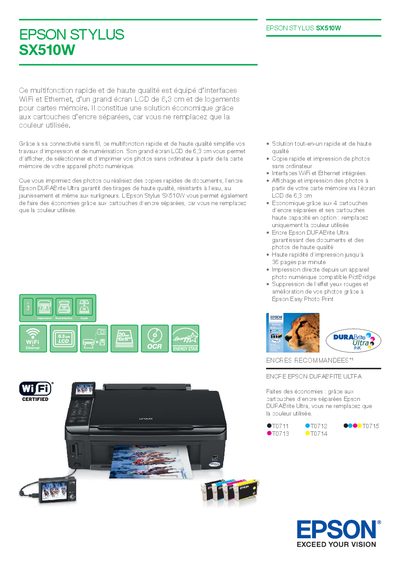
The Epson Stylus SX510W is a fast, high‑quality all‑in‑one inkjet printer with built‑in Wi‑Fi and Ethernet, a 6.3 cm LCD screen, and separate ink cartridges for each colour. It supports direct printing from memory cards and PictBridge‑compatible cameras, and offers features such as red‑eye reduction and Epson Easy Photo Print.
The manual includes detailed technical specifications, paper handling information, supported operating systems, and networking settings. It also lists recommended inks and papers, power consumption figures, and warranty options. This manual is written in French.
| Print speed (black) | up to 36 ppm |
|---|---|
| Print resolution | 5760 × 1440 dpi |
| Scan resolution | 2400 × 2400 dpi |
| Ink type | Epson DURABrite Ultra |
| Number of ink cartridges | 4 separate cartridges |
| Paper capacity (input tray) | 120 sheets |
| Dimensions (W × D × H) | 450 × 842 × 182 mm |
| Power consumption (printing) | ≈ 16 W |
| Supported operating systems | Windows 2000/XP/XP‑x64/Vista, Mac OS 10.3.9 or later |
It can print up to 36 pages per minute in black.
The printer uses Epson DURABrite Ultra ink.
Windows 2000, XP, XP‑x64, Vista and Mac OS 10.3.9 or later are supported.