
D-Link DSL-G604T Quick Installation Guide

This document is the user manual of D-Link DSL-G604T ADSL Modem Router. It introduces how to connect router, set up router and the function and features of the router.
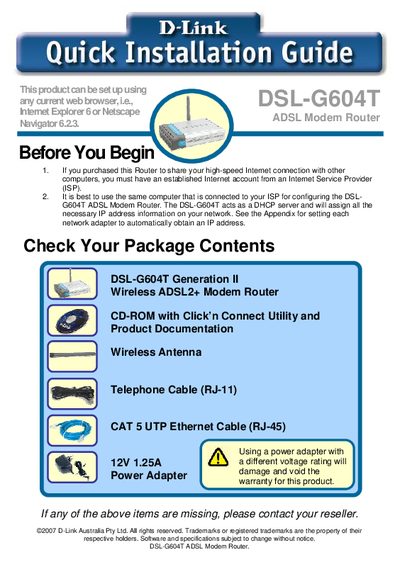

D-Link DSL-G604T Quick Installation Guide - cover page
Brand
D-Link
Category
Other network devices
Document type
Quick Start Guide
Language
English
Pages
26
File format
PDF
File size
1.3 MB
Published
08 May, 2012
Updated
30 September, 2023
MD5 checksum
56C38684B0747C326B4BEB4583C56175

About this manual

This Quick Installation Guide walks you through preparing the DSL‑G604T package, connecting power, Ethernet, and telephone cables, and powering up the device. It also explains how to use D‑Link’s Click’n Connect utility to configure basic settings, check connectivity, and set up your ISP information.

The guide includes safety notes, a list of supplied items, and contact information for technical support. It is intended for first‑time users who want to get their DSL‑G604T router online quickly.

What's inside

  • Before You Begin
  • Check Your Package Contents
  • Connecting the Router to Your Computer
  • Configuring the Router via Click’n Connect Utility
  • Step 1 – Power Up the Device
  • Step 2 – Connect the Device to Your Computer
  • Step 3 – Connect the Device to the ADSL Line
  • Step 4 – Checking Device Connectivity
  • Step 5 – ISP Configuration
  • Technical Support

Specifications

Power Adapter Voltage12 V
Wireless Standard802.11g
DHCP ServerEnabled

Frequently asked questions

What should I do if an item listed in the package contents is missing?

Contact your reseller if any of the listed items are missing.

How do I start the installation using the Click’n Connect utility?

Select the "Start Installation" option in the utility to commence the DSL‑G604T installation.

Download PDF (1.3 MB)

More D-Link Manuals


View all D-Link manuals →