
This manual describes how to configure the D-Link DSL-2640R router's wireless network function.
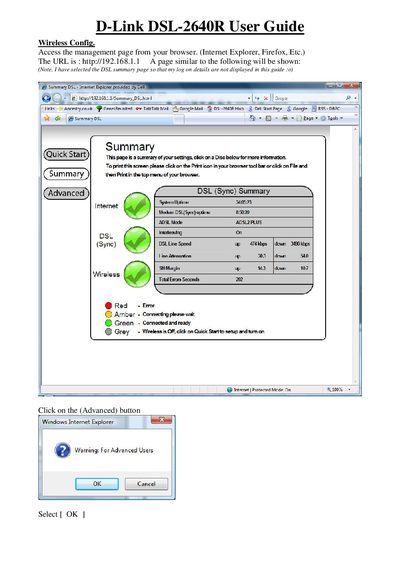
This guide explains how to access the DSL-2640R management interface, configure WAN connection types (PPPoE/PPPoA, Dynamic IP, Static IP, Bridge) and adjust advanced DSL parameters. It also provides step‑by‑step instructions for setting up the wireless network, including SSID, channel, and security options.
The document includes a Quick Start summary, wireless security configuration details, and instructions for connecting a PC to the new wireless network. Screenshots and navigation tips help users complete the setup using common browsers such as Internet Explorer or Firefox.
| ADSL Mode | ADSL2 PLUS |
|---|---|
| Interleaving | On |
| DSL Line Speed Up | 474 kbps |
| DSL Line Speed Down | 3490 kbps |
| Line Attenuation Up | 30.3 |
| Line Attenuation Down | 54.0 |
| SN Margin Up | 143° |
| SN Margin Down | 10.7 |
| System Uptime | 34:05:23 |
| Modem DSL Sync Uptime | 8:50:20 |
The router supports three wireless security modes: WEP, WPA‑Personal (including WPA2 auto mode), and None.