
This document provides information on the RS-232C port configuration and communication settings of the OPPO BDP-93EU Blu-ray player. It also includes the command structure and connection instructions.
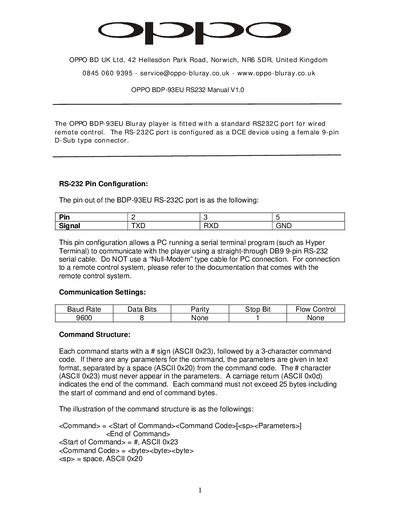
This manual explains the RS‑232C port on the OPPO BDP‑93EU Blu‑ray player, including the pinout (TXD, RXD, GND) and the required straight‑through DB‑9 cable for PC connections. It also lists the communication parameters such as baud rate, data bits, parity, stop bits and flow control.
The document details the command syntax, response formats, status update messages, and provides complete command, query, and advanced command tables. Example sequences show how to control playback, volume, disc handling, and retrieve status information via the serial interface.
| RS-232 Pin Configuration | TXD (Pin 2), RXD (Pin 3), GND (Pin 5) |
|---|---|
| Baud Rate | 9600 |
| Data Bits | 8 |
| Parity | None |
| Stop Bit | 1 |
| Flow Control | None |
Use a straight‑through DB‑9 serial cable; do not use a null‑modem cable.
Each command ends with a carriage return (ASCII 0x0d).
Responses begin with the '@' sign (ASCII 0x40).