
This document is the operating instructions for the Sony Wireless Stereo Headphone System. It mainly introduces the usage methods, precautions and safety warnings of the headphone.
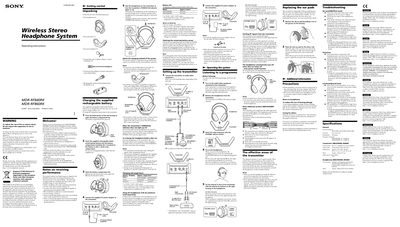
The MDR‑RF840RK and MDR‑RF860RK are wireless stereo headphone systems that include a compact transmitter, rechargeable nickel‑metal‑hydride battery, and circum‑aural headphones with a self‑adjusting headband. The manual explains how to unpack the items, connect the transmitter to audio/video equipment, and charge the supplied battery.
Key sections describe the contact‑less charging method, how to select channels, volume control, and safety precautions. Troubleshooting tips help resolve issues such as no sound, distortion, or background noise, while the specifications list carrier frequencies, dimensions, power sources, and battery life.
| Carrier frequency | 863.52 MHz, 864.02 MHz, 864.52 MHz |
|---|---|
| Modulation | FM stereo |
| Frequency response (MDR‑RF860RK) | 10 – 22 kHz |
| Transmitter power source | DC 12 V supplied AC power adaptor |
| Audio input | Phono jacks, stereo mini jack |
| Dimensions (transmitter) | ≈ 216 × 105 × 96 mm (8.5 × 4.1 × 3.7 in) |
| Mass (transmitter) | ≈ 220 g (7.77 oz) |
| Headphones power source | Supplied Ni‑MH battery BP‑HP550‑11 or AAA dry batteries |
| Mass (headphones) | ≈ 300 g (10.59 oz) incl. battery |
Place the headphones on the transmitter until the POWER/CHG indicator lights red; charging takes about 16 hours, after which the indicator turns off.
Check that all audio/video connections and the AC adaptor are secure, the source is turned on, the volume is set high enough, the transmitter and headphones are on the same channel, and that the headphone battery is charged.