
This is the User's guide for the Sony Ericsson K810i phone, which introduces the phone's functions and usage methods.
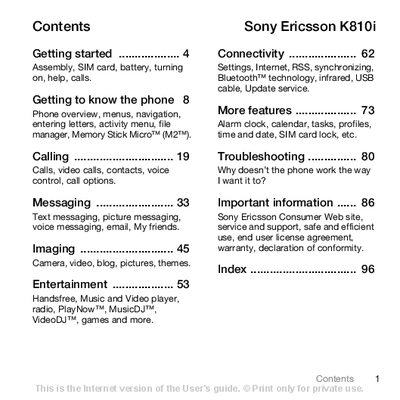
This manual covers everything you need to get started with the Sony Ericsson K810i, from inserting the SIM card and battery, turning the phone on, and using the setup wizard, to navigating menus, making calls, and managing multimedia features. Detailed sections explain connectivity options such as Bluetooth, infrared, and USB, as well as settings for internet, messaging, and entertainment.
Additional chapters provide information on troubleshooting common issues, safety and warranty details, and where to find further support and software updates. The guide is organized with a clear table of contents for quick reference to each functional area of the phone.
| Network bands | UMTS 2100, GSM 900/1800/1900 |
|---|---|
| Battery type | Sony Ericsson 89 Battery |
| Memory card type | Memory Stick Micro (M2) |
Remove the battery cover, slide the SIM card into its holder with the contacts facing down, insert the battery with the label side up, then slide the battery cover back into place.
It takes about 2.5 hours, or until the battery icon indicates a full charge.
Press and hold the power key; the first startup may take a few minutes.