
Sony KDL32EX403U/KDL32EX503U/KDL32EX43BU/KDL32NX503U/KDL32EX603U/KDL32EX703U/KDL37EX403U/KDL37EX503U/KDL40EX403U/KDL40EX43BU/KDL40EX503U/KDL40EX603U/KDL40NX503U/KDL40EX703U/KDL40HX703U/KDL40NX703U/KDL

This document describes the retuning instructions for Sony products.
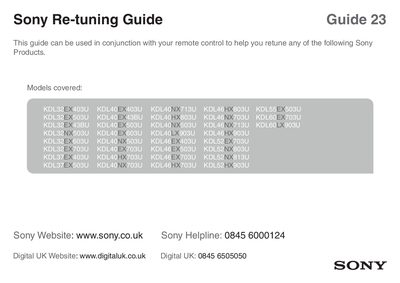

Sony KDL32EX403U/KDL32EX503U/KDL32EX43BU/KDL32NX503U/KDL32EX603U/KDL32EX703U/KDL37EX403U/KDL37EX503U/KDL40EX403U/KDL40EX43BU/KDL40EX503U/KDL40EX603U/KDL40NX503U/KDL40EX703U/KDL40HX703U/KDL40NX703U/KDL - cover page
Brand
SONY
Category
Television
Document type
User Manual
Language
English
Pages
2
File format
PDF
File size
1.2 MB
Published
08 May, 2012
Updated
01 October, 2023
Models
KDL55, KDL60)
MD5 checksum
B413810B0489533660C13101B5C55EF7

About this manual

The guide shows how to start the retuning process by pressing the HOME button on the remote, then navigating to System Settings and selecting Digital Setup. The TV will automatically scan for channels and confirm when the auto‑tuning is finished.

If the remote control layout differs from the illustration, follow the on‑screen prompts to complete the tuning. The guide applies to many Sony TV models listed in the document.

What's inside

  • Accessing Home Menu
  • System Settings
  • Digital Setup
  • Auto Tuning Process

Frequently asked questions

How do I start the retuning process?

Press the HOME button on the remote, go to Settings, select Digital Setup, and confirm to begin auto‑tuning.

What if my remote layout looks different?

The remote layout may differ; follow the on‑screen instructions to complete the tuning.

Download PDF (1.2 MB)

More SONY Manuals


View all SONY manuals →