
IC-712-I/IC-714-I KVM Switch is a KVM switch that supports 4 PCs, supports PS/2 keyboard, mouse and monitor, supports Windows 95/98/98SE/Me/NT4.0/2000/XP, DOS, Linux, Novell Netware, FreeBSD and other operating systems.
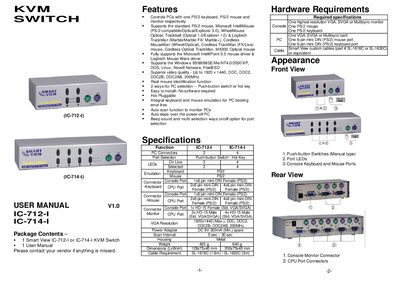
The Smart View KVM Switch lets you control multiple PCs with a single PS/2 keyboard, mouse and monitor. It supports a wide range of mice, operating systems and offers video resolutions up to 1920 × 1440.
The manual covers package contents, hardware specifications, installation steps, operation details (including LED indicators and hot‑key navigation), auto‑scan mode, and troubleshooting tips for common keyboard and mouse issues.
| PC Connectors | 2 (IC-712-1) / 4 (IC-714-1) |
|---|---|
| Port Selection | Push‑button Switch / Hot Key |
| On‑Line Ports | 2 (IC-712-1) / 4 (IC-714-1) |
| LEDs Selected | 2 (IC-712-1) / 4 (IC-714-1) |
| Keyboard Emulation | PS/2 |
| Power Adapter | DC 9 V 300 mA (minimum) |
| Scan Interval | 5 s ~ 30 s |
| Weight | 20 g (IC-712-1) / 640 g (IC-714-1) |
| Dimensions (L×W×H) | 128 × 75 × 45 mm (IC-712-1) / 200 × 75 × 45 mm (IC-714-1) |
| Maximum Video Resolution | 1920 × 1440 |
You can switch PCs either by pressing the front‑panel push‑button switch or by using hot‑key combinations on the keyboard.
Press the Scroll Lock key twice; the scan interval can be adjusted between 5 and 30 seconds using the + and – keys.
A DC 9 V 300 mA power adapter with positive‑center polarity is required.