
DRM-1712F + / DRM-1714F + is a DVI selector that supports resolutions up to 1600x1200, supports DDC2 standard, supports DVI-D, is hot-swappable, and automatically switches to the host power is turned off or the VGA cable is unplugged.
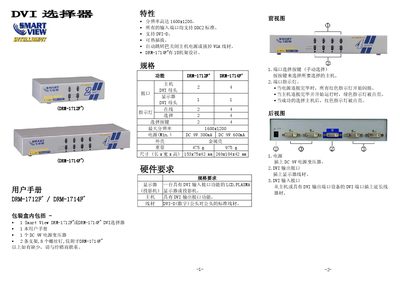
The Smart View DRM-1712F+ and DRM-1714F+ are DVI selectors that allow switching between multiple DVI sources. They support resolutions up to 1600x1200, DVI‑D, hot‑plug, and DDC2 standards, and are housed in a metal case.
The manual details the contents of the packaging, lists the device features, provides technical specifications, and gives step‑by‑step installation and operation instructions, including power connection, cable routing, and indicator light behavior. This manual is written in Chinese.
| Maximum resolution | 1600x1200 |
|---|---|
| Power (DRM-1712F+) | DC 9V 300mA |
| Weight (DRM-1712F+) | 475 g |
| Dimensions (DRM-1712F+) | 153x75x42 mm |
| Supported interface | DVI‑D |
| DDC2 support | All input ports |
The box contains one Smart View DRM-1712F+ or DRM-1714F+ DVI selector, the user manual, a DC 9V power transformer, two brackets, and eight screws (the screws are only for the DRM-1714F+ model).
First ensure the selector and display are powered off, connect the DVI cable to the output port, connect the host’s DVI output to the selector’s input, plug in the DC 9V power transformer, then power on the display followed by the host. Indicator lights will confirm proper connection.
The selector supports a maximum resolution of 1600 × 1200.