
Key facts
- Manuals
- 28
- Categories
- 2
- Languages
- ZH · EN
- Last added
- 2026-10-03
Featured Smart manuals

Smart fortwo Hardtop and Convertible User Manual
This manual covers all aspects of owning and operating the Smart fortwo, including safety warnings, vehicle equipment, driving instructions, and routine maintenance. It also contains detailed technical data and specifications for the hardtop and convertible models.
Readers will find step‑by‑step procedures for tasks such as checking coolant, adding windshield‑washer fluid, servicing the climate‑control system, and using the audio, media, and navigation systems. The guide also explains the vehicle’s driver‑assistance features and provides troubleshooting tips. This manual is written in Chinese.
Covers: Safety · Vehicle Equipment · Operation · Maintenance · Technical Data · Driving Assistance
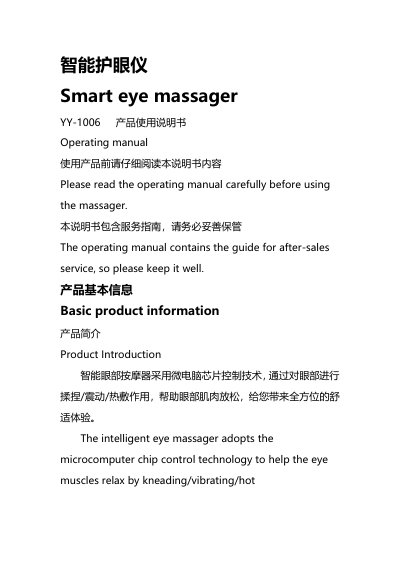
Smart YY-1006 Eye Massager User Manual
The Smart YY-1006 eye massager is a micro‑computer controlled device that provides air‑pressure massage, vibration, hot compress and music/story playback to relax eye muscles. The manual explains how to prepare the device, charge it via the Type‑C USB port, and operate the various modes.
Safety instructions, cleaning guidelines, battery disposal procedures and FCC compliance information are also included to ensure proper and safe use of the product. This manual is written in Chinese.
Covers: Product Introduction · Product Parameters · Preparation and Charging · Charging Procedure · Operating Instructions · Mode Introduction
SMART SMART Board Software User Guide
This guide explains how to install and configure the SMART Board software on supported Windows operating systems, register the product for free upgrades, and safely handle the interactive whiteboard hardware. It includes detailed safety warnings, cleaning procedures, and tips for trouble‑free performance.
The manual also covers the full range of software features such as Notebook, SMART Recorder, SMART Video Player, pen‑tray tools, and the SMART Keyboard, with step‑by‑step instructions for creating, editing, and exporting annotations and video files.
Covers: Registration Benefits · Precautions and Safety · Cleaning the Writing Surface · General Tips for Trouble‑Free Performance · Getting Started · Serial Cable Setup
Smart Life Intelligent Electricity Suite User Manual
The Smart Life Intelligent Electricity Suite is a Windows PC program that helps users monitor and control household electricity consumption. It collects usage data, provides analysis, and offers features such as energy management, appliance control, saving reminders, scheduling, and mode settings.
The manual explains how to install the software, add and modify devices, view detailed consumption statistics, set electricity prices, and access additional functions like software updates and help guides. It also includes troubleshooting tips and contact information for support. This manual is written in Chinese.
Covers: Welcome · Installation · Energy Management · Electricity Details · Device Management · Add Device
Latest Smart manuals
Smart fortwo Hardtop and Convertible User Manual
User Manual 170 pages · 5.1 MB · ZHThe Smart fortwo user manual provides safety, operation, maintenance, and technical information for both hardtop and convertible versions.
Smart YY-1006 Eye Massager User Manual
User Manual 18 pages · 602 KB · ZHOperating manual for the Smart YY-1006 eye massager, covering setup, charging, modes, Bluetooth, cleaning and safety warnings.
Smart PH Installation Guide
This document is the installation guide for Smart pHTM water chemistry controller
SMART Document Camera 330 user manual
This document is a user guide for SMART Document Camera 330
SMART Notebook SE for Mac Computers User Guide
The document is the User's Guide for SMART Notebook SE for Mac Computers, which covers product registration and trademark notice.
Smart Business Wifi-Phone DIT300 User Manual
This manual explains how to use the DIT300 Wifi-phone. It provides information on how to install and configure the phone. The manual also provides information on how to use basic phone functions, such as making calls and answering calls.
Smart Phone User Manual(1)
This is the user manual of a Windows Mobile™ smartphone
SMART LABEL PRINTER 100 200 240 user guide
This document is a user guide for the Smart Label Printer on Windows 95, 98, Windows NT 4.0, and Windows 2000 operating systems. The document provides information on the printer's FCC compliance statement and applicable EC directives and standards.
Smart Relay SRW 01 user manual
This document is an addendum to the User Manual of Smart Relay SRW 01, providing information on installation, connection, parameterization, and operation modes.
SMART VIEW USER MANUAL V1.0 IC-712-I IC-714-I
IC-712-I/IC-714-I KVM Switch is a KVM switch that supports 4 PCs, supports PS/2 keyboard, mouse and monitor, supports Windows 95/98/98SE/Me/NT4.0/2000/XP, DOS, Linux, Novell Netware, FreeBSD and other operating systems.
SMART VIEW IC-612-I/IC-614-I user manual
IC-612-I / IC-614-I KVM switch can control multiple PCs, supports PS/2 keyboard, mouse, and monitor. Supports many mice, including Microsoft IntelliMouse, WheelMouse Optical, Trackball (Optical 1.0/Explorer 1.0) & Logitech TrackMan (Marble/Marble FX/ Marble+), Cordless MouseMan (Wheel/Optical), Cordless TrackMan (FX/Live) mouse, Cordless Optical TrackMan, MX300 Optical mouse. Supports many operating systems, including Window 95/98/98SE/Me/NT4.0/2000/XP, DOS, Linux, Novell, Free BSD.
Smart Navigator user manual
This is a user manual for a GPS device named Smart Navigator
Smart Phone User Manual
This document introduces the use of Windows Mobile™ Smartphone
SMART SMART Board Software User Guide
User Manual 91 pages · 1.6 MB · ENThe SMART Board Software User Guide provides setup, usage, and maintenance instructions for SMART Board interactive whiteboards on Windows 98/2000/ME/XP/NT.
Smart Life Intelligent Electricity Suite User Manual
User Manual 13 pages · 1.7 MB · ZHUser manual for the Smart Life Intelligent Electricity Suite, a Windows PC application for home energy management.
- 1
- 2
Which document do I need?
User Manual
Day-to-day operation, settings and troubleshooting. Start here if the product is already set up.
Quick Start Guide
The shortest path to a working setup, usually only a few pages.
Installation Guide
Mounting, wiring and first power-up. Read it before the hardware goes in.
Questions answered in Smart manuals
What refrigerant is used in the climate‑control system?
The Smart fortwo’s climate‑control system uses R‑134a refrigerant.
How can I connect the device to Bluetooth?
After power‑on, the device’s Bluetooth is enabled by default; open your phone’s Bluetooth, search for the name “Children's Eye Massager 223”, and pair to play music.
How can I register my SMART Board for free software upgrades?
Register online at www.smarttech.com/registration using your serial number and date of purchase.
What cleaning method should I use for the SMART Board writing surface?
Use a standard glass cleaner sprayed on the surface and wipe with a paper towel; for permanent‑marker ink, cover it with dry‑erase marker ink and wipe while wet.
Why can't the smart plug be added during device setup?
Check that the smart plug is powered on; it must be receiving electricity before it can be verified.
What should I do if the smart home gateway turns off?
Keep the smart home gateway continuously powered on, because a shutdown will affect electricity data collection.