
IC-612-I / IC-614-I KVM switch can control multiple PCs, supports PS/2 keyboard, mouse, and monitor. Supports many mice, including Microsoft IntelliMouse, WheelMouse Optical, Trackball (Optical 1.0/Explorer 1.0) & Logitech TrackMan (Marble/Marble FX/ Marble+), Cordless MouseMan (Wheel/Optical), Cordless TrackMan (FX/Live) mouse, Cordless Optical TrackMan, MX300 Optical mouse. Supports many operating systems, including Window 95/98/98SE/Me/NT4.0/2000/XP, DOS, Linux, Novell, Free BSD.
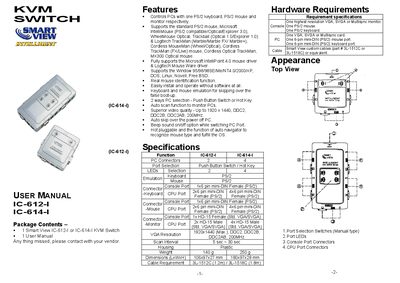
The Smart View IC-612-1 and IC-614-1 are KVM switches that let you control multiple PCs with a single PS/2 keyboard, mouse and monitor. The manual describes the package contents, supported peripherals, hardware requirements and detailed specifications such as video resolution up to 1920 × 1440 and hot‑key PC selection.
Installation steps show how to connect the monitor, keyboard and mouse to the console ports and link the PCs using the supplied custom cables. Operation instructions cover LED status indicators, manual and hot‑key switching, auto‑scan mode, beep sound control and auto‑navigator for mouse detection. A troubleshooting section provides solutions for keyboard or mouse non‑response and video issues.
| PC Connectors (IC-612-1) | 2 |
|---|---|
| VGA Resolution | 1920x1440 (Max.), DDC2, DDC2B, DDC2AB, 200 MHz |
| Scan Interval | 5 sec ~ 30 sec |
| Weight (IC-612-1) | 140 g |
| Dimensions (IC-612-1) | 106 × 97 × 27 mm |
| Cable Requirement | 3L-1512C (1.2 m) / 3L-1518C (1.8 m) |
Press the left or right Ctrl key twice to select the desired PC; press Ctrl twice again to move to the previous or next PC depending on the model.
Press the right Shift key twice to toggle the beep sound on or off.
A flashing red LED is normal when PCs are powered off; it shows that the keyboard and/or mouse still have power.