
This manual is a user's guide for the 2575 model, providing information on various modes and operations of the product.
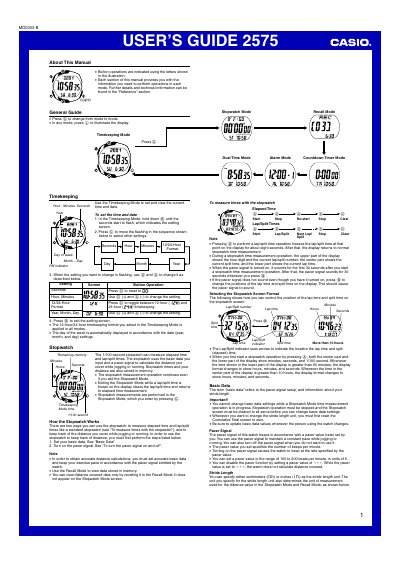
The Casio 2575 User's Guide provides step‑by‑step instructions for all operating modes of the digital watch. It covers timekeeping, dual‑time, alarm, countdown timer, stopwatch with lap/split and distance calculations, as well as basic data such as stride length and pacer signal.
Additional sections describe the backlight and auto‑light switch, memory management, reference data, and safety precautions. The manual also includes detailed button operations and setting screens for each mode.
| Pacer value range | 100‑200 beats per minute, step 5 |
|---|---|
| Year setting range | 2000‑2039 |
| Memory capacity | Up to 61 records |
| Backlight type | LED with light‑guide panel |
Press the ( ) button in any mode; the display will illuminate for about one second regardless of the auto‑light switch setting.
Press © while in Stopwatch Mode to toggle the pacer signal on (beeps) or off.