
The GENESIS S816 is a multi-function all-in-one printer with premium wireless printing capability. It features flash scanning and instant preview, allowing for quick scanning and copying of multiple images. It also offers paper and energy savings.
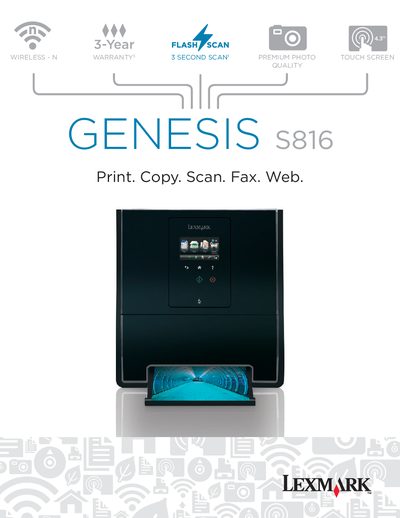
This guide covers the Lexmark GENESIS S816 wireless 4‑in‑1 device for home offices. It includes detailed information on printing, copying, scanning, faxing, and web connectivity, along with specifications, media handling, and warranty details.
The manual provides step‑by‑step instructions for installing the printer, configuring wireless networking (802.11b/g/n), using the 4.3" touch screen, and accessing supported operating systems such as Windows, macOS, and Linux. It also lists technical specifications, media types, and environmental features.
| Print resolution (black) | Up to 2400 x 1200 dpi |
|---|---|
| Print resolution (color) | Up to 4800 x 1200 dpi |
| Maximum monthly duty cycle | 3000 pages per month |
| Duplex printing | Integrated Duplex |
| Paper input capacity | 100 pages 20 lb or 75 gsm bond |
| Paper output capacity | 50 pages 20 lb or 75 gsm bond |
| Power supply | 32 Watt Universal Power Supply (100‑240V AC, 50/60 Hz) |
| Weight | 24.5 lbs |
| Dimensions (HxWxD) | 16.54 x 15.2 x 12.64 in |
Supported OSes include Windows XP, Vista, Windows 7, macOS (10.3‑10.6), and Linux.