
The Lexmark C524n is a small to medium workgroup color laser printer that offers quick color output, advanced spherical chemically processed toner and automatic calibration for consistently stunning results, an easy access 100-sheet Multi-purpose tray, and more.
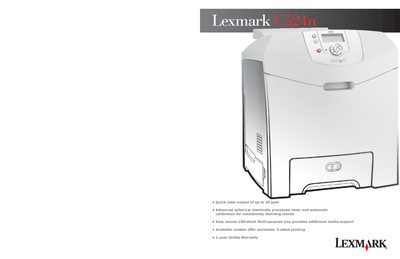
This guide covers the features of the Lexmark C524n color laser printer, including quick‑color output up to 20 ppm, 1200 × 1200 dpi print quality, and built‑in calibration for consistent results. It details installation steps, basic operation, media handling, and the printer’s specifications such as processor speed, memory, duty cycle, and acoustic levels.
The manual also lists the supplies, optional accessories, and connectivity options available for the C524n series, including USB, Ethernet, wireless adapters, and various paper trays and drawers. Warranty information and a summary of the items included in the box are provided as well.
| Print Speed | Up to 20 ppm |
|---|---|
| Print Quality | 1200 × 1200 dpi |
| Processor | 500 MHz |
| Memory (standard / max) | 128 MB / 640 MB |
| Duty Cycle | Up to 65,000 pages per month |
| Weight | 57 lb (25.9 kg) |
| Acoustics (printing / idle) | 61 dBA / 32 dBA |
| Connectivity (standard) | USB, Ethernet, 1 ISP |
The printer can produce up to 20 pages per minute in both black and color.
The C524n includes USB, Ethernet, and a 1 ISP interface, with optional Token‑Ring, Parallel, Serial, Wireless, Gigabit Ethernet, Fiber Ethernet, and Coax/Twinax.