
The Lexmark Pro715 is a multifunction printer that can print, copy, scan, and fax. This printer is cost-effective and can save a lot of paper. It also supports automatic two-sided printing and fast scanning.
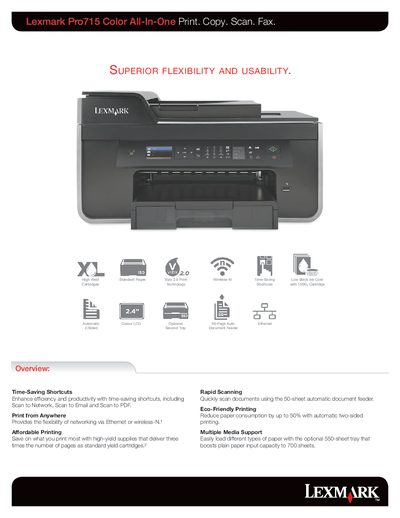
This guide introduces the Lexmark Pro715’s core features, including time‑saving shortcuts such as Scan to Email, Scan to Network and 1‑Touch shortcuts, as well as flexible networking via Ethernet or Wi‑Fi. It also covers media handling options like a 550‑sheet optional tray, automatic duplex printing, and a 50‑sheet automatic document feeder.
The manual lists detailed product specifications—print speed, resolution, memory, input capacities, supported operating systems, and standard ports—along with warranty information and a quick‑reference guide for everyday use.
| Print Speed | Up to |
|---|---|
| Maximum Print Speed | Up to |
| Paper Input Capacity | Up to |
| ADF Paper Input Capacity | Up to |
| Print Resolution (Color) | Up to 4800 x 1200 dpi |
| Standard Ports | Ethernet 10/100BaseTX (RJ‑45), USB 2.0, Wireless 802.11 b/g/n |
Use the Scan to Email shortcut described in the guide.
The manual provides a recommended monthly page volume range to ensure optimal performance.
It uses 4‑color inkjet cartridges (Cyan, Magenta, Yellow, Black) with high‑yield options.
The printer supports Ethernet, USB 2.0, and Wi‑Fi 802.11 b/g/n connectivity.