
This document introduces the features and characteristics of the Lexmark E120n Mono Laser Printer
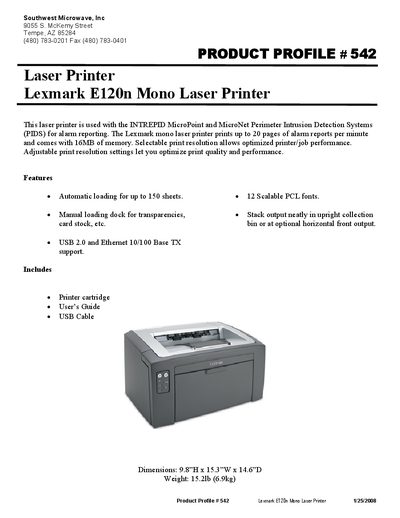
The Lexmark E120n is a mono laser printer designed for use with INTREPID MicroPoint and MicroNet Perimeter Intrusion Detection Systems, capable of printing up to 20 pages of alarm reports per minute. It includes 16 MB of memory and selectable print resolution for optimized performance.
Key features include automatic loading for up to 150 sheets, manual loading dock for transparencies and card stock, USB 2.0 and Ethernet 10/100 Base‑TX connectivity, and a compact footprint of 9.8" H × 15.3" W × 14.6" D weighing 15.2 lb. The package comes with a printer cartridge, user’s guide, and USB cable.
| Print speed | up to 20 pages per minute |
|---|---|
| Memory | 16 MB |
| Automatic loading capacity | up to 150 sheets |
| Connectivity | USB 2.0, Ethernet 10/100 Base‑TX |
| Dimensions | 9.8" H × 15.3" W × 14.6" D |
| Weight | 15.2 lb (6.9 kg) |
It prints up to 20 pages per minute.
The printer includes 16 MB of memory.
It supports USB 2.0 and Ethernet 10/100 Base‑TX.
The printer measures 9.8" H × 15.3" W × 14.6" D and weighs 15.2 lb (6.9 kg).