
This document provides the user guide, warranty terms and limitations, and manufacturer information for Credence Technologies, Inc.'s Workstation Monitor Checker CTE701A product.
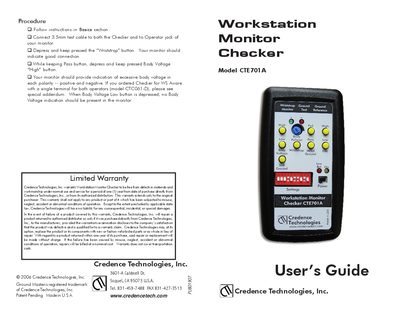
The Credence Workstation Monitor Checker CTE701A is a handheld device used to verify the proper operation of dual‑wriststrap, workstation and ground monitors. It simulates resistances and signals so users can confirm that their monitors meet required safety specifications.
The guide explains how to connect the Checker, perform wriststrap, body‑voltage, soft‑ground, metal‑ground and EMI tests, and provides troubleshooting, warranty information and battery maintenance instructions.
| Model | CTE701A |
|---|---|
| Maximum wriststrap resistance limit | 12 MΩ |
Press and hold the “Wriststrap” button; the monitor under test should indicate a good connection.
While keeping the Pass button pressed, press the “Body Voltage High” button and adjust the potentiometer; the monitor will show red/green LEDs for positive/negative voltage.
Press the “Pass” Metal Ground button; the monitor should show a green light indicating good ground. Press the “Fail” button to see a red‑light failure indication.