
The MAX3946 evaluation board is a fully populated demonstration board for optical evaluation of the MAX3946 laser driver for 1.0625Gbps to 11.3Gbps.
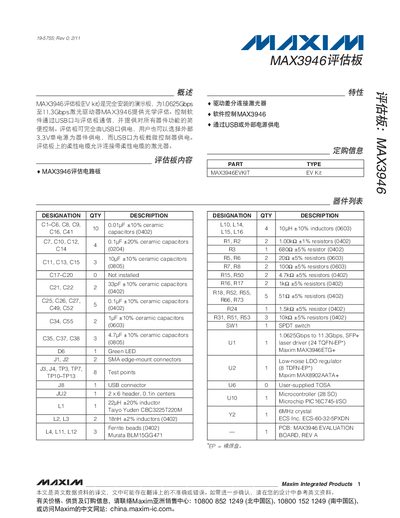
The MAX3946 evaluation board is a fully assembled demo board for a 10.625 Gbps to 11.3 Gbps differential laser driver. It includes a USB interface for power and communication, a flexible cable for laser connection, and on‑board components such as inductors, capacitors, and a microcontroller.
The accompanying software, accessed via the Maxim website, allows full control of the device registers, bias and modulation settings, de‑emphasis, and fault monitoring. Users can power the board from USB or an external 3.3 V supply, connect lasers to the U6 connector, and use the GUI to enable/disable the driver, adjust eye‑diagram parameters, and read status indicators. This manual is written in Chinese.
| Data rate | 10.625 Gbps to 11.3 Gbps |
|---|---|
| Power supply | USB or external 3.3 V, 300 mA limit |
| Laser driver package | 24‑pin QFN‑EP |
The board can be powered via the USB connector or an external 3.3 V supply, with a current limit of 300 mA.
Connect the laser to the U6 connector as shown in Figure 1 of the manual.
Clear the DISABLE checkbox, then check the TX Enable box to activate the driver.