
ToolStick-C8051F330DC is a development tool from Silicon Laboratories, including ToolStick Base Adapter and ToolStick C8051F330 Daughter Card.
The ToolStick C8051F330DC is a development and demonstration platform that consists of a USB‑based Base Adapter and a C8051F330 daughter card. The daughter card includes LEDs, a potentiometer, a resistor on the DAC output pin, and a prototyping area that gives access to all device pins.
The guide explains how to connect the hardware, install the required Silicon Labs IDE, Keil tools, and ToolStick Terminal, and use the software to build projects, download firmware, and debug code with breakpoints, watch windows, and register editing.
| USB debug interface | Provides USB debug interface and data communications path |
|---|---|
| Power LED | Power LED P1.3 |
| Potentiometer | Potentiometer on the daughter card |
| Prototyping area | Access to all pins of the device |
| System requirements | Pentium‑class PC, Windows 2000/XP, 1 USB port, 64 MB RAM, 40 MB free HDD |
| Hardware breakpoints | Up to four hardware breakpoints |
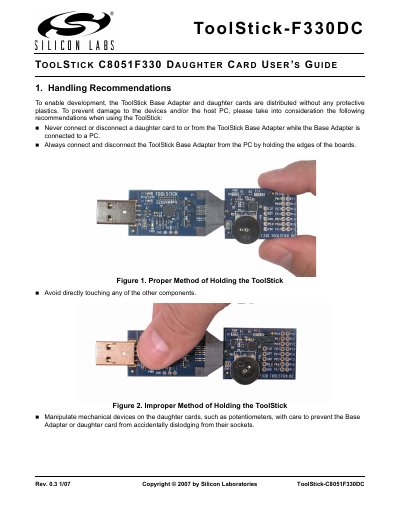
Always connect and disconnect the Base Adapter by holding the edges of the boards, and never connect or disconnect a daughter card while the adapter is attached to a PC.
The required software includes the Silicon Laboratories IDE, Keil Demonstration Tools, and the ToolStick Terminal application; additional tools such as Configuration Wizard 2 and Keil uVision drivers are also provided.
The device supports up to four hardware breakpoints.
A Pentium‑class host PC running Windows 2000 or Windows XP, with at least one USB port, 64 MB RAM, and 40 MB free hard‑disk space.