
Key facts
- Brand
- Silicon Laboratories
- Model
- C8051F330
- Category
- Other Electronics
- Industry
- Electronics
- Documents
- 3
- Languages
- EN
- Last added
- 2012-04-11
Start here
Silicon Laboratories ToolStick C8051F330DC User Guide
The ToolStick C8051F330DC is a development and demonstration platform that consists of a USB‑based Base Adapter and a C8051F330 daughter card. The daughter card includes LEDs, a potentiometer, a resistor on the DAC output pin, and a prototyping area that gives access to all device pins.
The guide explains how to connect the hardware, install the required Silicon Labs IDE, Keil tools, and ToolStick Terminal, and use the software to build projects, download firmware, and debug code with breakpoints, watch windows, and register editing.
Silicon Laboratories C8051F330 specifications
| Supply Voltage | 2.7 V – 3.6 V |
|---|---|
| Active‑mode Supply Current (25 MHz) | 6.4 mA |
| Shutdown Supply Current | <0.1 µA |
| ADC Resolution | 10 bits |
| DAC Resolution | 10 bits |
| Flash Memory | 8 kB |
| SRAM | 768 bytes |
| Package Type | 20‑pin QFN |
| Operating Temperature Range | –40 °C to +85 °C |
All Silicon Laboratories C8051F330 documents by type
Ratings, dimensions and ordering codes, for selection and design work.
Day-to-day operation, settings and troubleshooting. Start here if the product is already set up.
Questions answered in these manuals
What is the supply voltage range for the C8051F330?
The C8051F330 operates from 2.7 V to 3.6 V.
How much current does the C8051F330 draw in active mode at 25 MHz?
It draws about 6.4 mA when the CPU is active at 25 MHz.
What is the supply voltage range of the C8051F330D?
The device operates from 2.7 V to 3.6 V.
From: Silicon Laboratories C8051F330D 25 MIPS 8 kB Flash 10‑Bit ADC 20‑Pin Mixed‑Signal MCU Datasheet
What is the ADC conversion rate capability?
The 10‑bit ADC can sample at up to 200 ksps.
From: Silicon Laboratories C8051F330D 25 MIPS 8 kB Flash 10‑Bit ADC 20‑Pin Mixed‑Signal MCU Datasheet
How should the ToolStick Base Adapter be connected or disconnected from a PC?
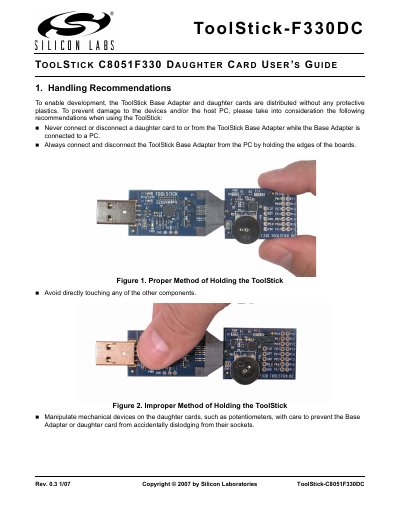
Always connect and disconnect the Base Adapter by holding the edges of the boards, and never connect or disconnect a daughter card while the adapter is attached to a PC.
What software is required to develop with the ToolStick kit?
The required software includes the Silicon Laboratories IDE, Keil Demonstration Tools, and the ToolStick Terminal application; additional tools such as Configuration Wizard 2 and Keil uVision drivers are also provided.