
This file is a user manual for Silicon Laboratories's product ToolStick CapTouchSense Daughter Card, which introduces the product's features, usage methods, and precautions.
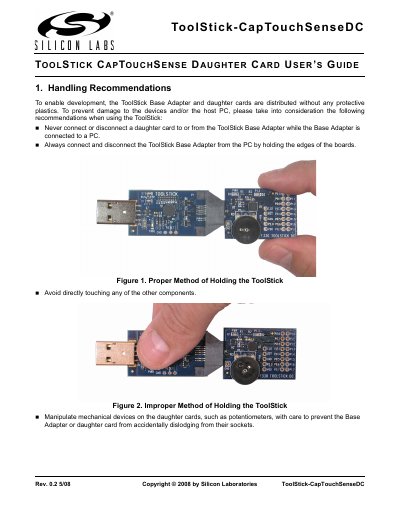
The ToolStick CapTouchSenseDC daughter card provides a C8051F931 microcontroller, four LEDs, a mechanical switch, four capacitive touch switches, and an A76 1.5 V battery. It plugs into a ToolStick Base Adapter that supplies USB debug and UART communication to a Windows PC.
The guide covers handling recommendations, hardware setup, required Silicon Labs software (IDE, Keil tools, Configuration Wizard 2, and Terminal), demo applications such as a memory game, and how to use the board as a development platform with full pin access and optional external components.
| Microcontroller | C8051F931 |
|---|---|
| LEDs | Four GPIO‑controlled LEDs (red, blue, green, yellow) |
| Capacitive Touch Switches | Four capacitive touch sense switches |
| Battery | A76 1.5 V alkaline button cell |
| Voltage Regulator | 3.3 V to 1.5 V |
| USB Interface | USB debug adapter on the Base Adapter |
| UART | UART communication via USB |