
The ToolStick Base Adapter is part of the ToolStick development system and needs to be used with a ToolStick daughter card. Users should follow the recommendations to prevent damage to the devices or the host PC when using the ToolStick.
The ToolStick Base Adapter provides a USB debug interface and data communication path between a Windows PC and a target microcontroller. It is powered from USB and supplies power to attached daughter cards, with LED indicators for power, debug status, and target operation.
The manual details handling recommendations, required software (Silicon Labs IDE, Keil tools, ToolStick Terminal), system requirements, and connection pin functions. It also includes package contents, schematic reference, and contact information for Silicon Laboratories. This manual is written in Chinese.
| Power source | USB |
|---|---|
| Power indicator LED | Yellow LED |
| Debug status LEDs | Red = halted, Green = running |
| IDE host PC requirements | Pentium-class PC, Windows 2000/XP, 1 USB port, 64 MB RAM, 40 MB free HDD |
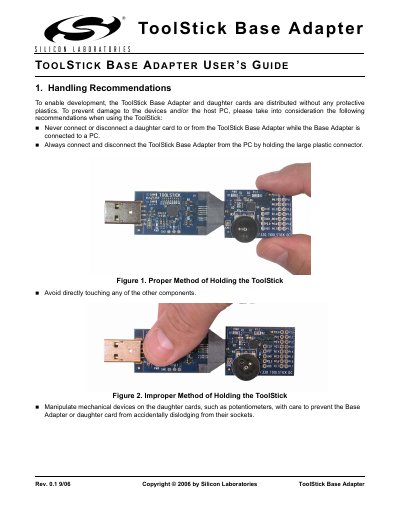
Always hold the large plastic connector when connecting or disconnecting the adapter, and never connect or disconnect a daughter card while the adapter is attached to the PC.
A Pentium‑class PC running Windows 2000 or XP, with at least one USB port, 64 MB of RAM, and 40 MB of free hard‑disk space.