
The MAX2335 evaluation kit simplifies evaluation of the MAX2335 450MHz CDMA/OFDM LNA/mixer. This kit allows evaluation of the device’s low-noise amplifier (LNA), downconverter, and buffer.
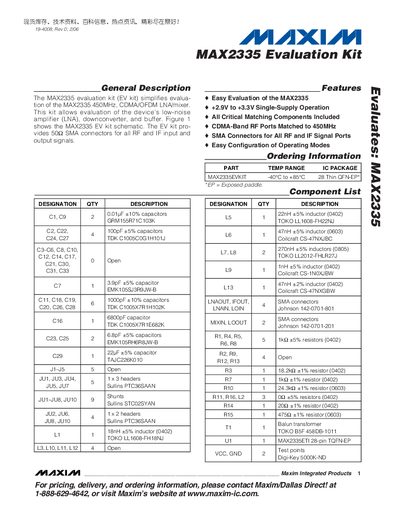
This document describes the Maxim MAX2335 evaluation kit, which simplifies evaluation of the 450 MHz CDMA/OFDM LNA/mixer. It includes the kit’s features, component list, and ordering information, as well as recommended test equipment.
The manual guides users through quick‑start steps, detailed connections and setup for both the low‑noise amplifier and downconverter modes, and provides board layout considerations. Figures illustrate the schematic and PCB layout of the kit.
| Frequency range | 450 MHz CDMA/OFDM LNA/mixer |
|---|---|
| Supply voltage | +2.9 V to +3.3 V single‑supply |
| Operating temperature | -40 °C to +85 °C |
| IC package | 28‑pin Thin QFN‑EP |
| SMA connectors | 50 SMA connectors for all RF and IF signals |
It operates from +2.9 V to +3.3 V with a single‑supply configuration.
The kit provides 50 SMA connectors for all RF and IF input and output signals.
The LNA shows a typical gain of about 16 dB at 465 MHz.
The conversion gain is approximately 13 dB after applying the loss corrections.