
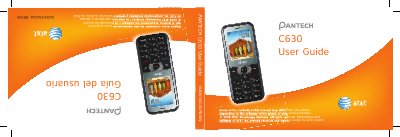
This manual covers all basic functions of the Pantech C630, including how to power the device on and off, navigate menus, and use the phone’s multimedia features. It also contains safety information, warranty details, and contact information for technical support.
The guide includes a full specification table, detailed descriptions of the keypad, display, camera, and battery, as well as step‑by‑step procedures for calls, messaging, and media playback. Users can also find shortcuts for quick menu access and instructions for updating software. This manual is written in Spanish.
| Display colors | 260k colors TFT LCD |
|---|---|
| Resolution | 176x220 |
| Camera resolution | 1280x1024 |
| Battery capacity | 930 mAh |
| Standby time | 400 hours |
| Talk time | 5 hours |
| Operating frequency | GSM 850/900 MHz, DCS 1800 MHz, PCS 1900 MHz |
| Weight | 132 g (with standard battery) |
| Dimensions | 104 mm × 44 mm × 11.8 mm |
Use the numbered shortcut keys (1‑9) to open menus directly.
The device uses a standard Li‑ion battery with a capacity of up to 930 mAh.
The screen can display 260,000 colors.