
This document is a quick start guide for using a multifunction printer. It is important to read the user manual carefully before using and keep it for future reference.
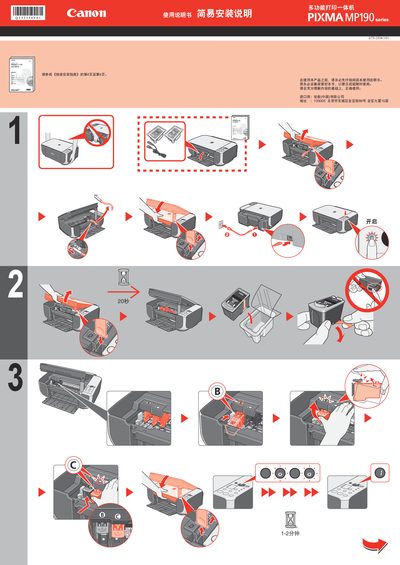
The guide offers a quick‑start installation procedure for the Canon PIXMA MP190 multifunction printer, covering preparation, driver installation, and connecting the printer to a Windows Vista computer. It references the Quick Installation Guide pages 4‑6 for additional details.
Key sections include Windows Vista driver setup, running the installer (Wsetupd.exe), confirming printer connection, and licensing information. The document notes the printer’s origin (Vietnam) and the revision date (January 2008). This manual is written in Chinese.
The guide is written for Windows Vista.