
This product is a telephone that supports dialing, copying, and stopping.
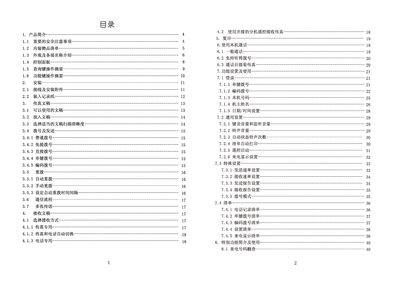
This manual covers the essential safety precautions, unpacking checklist, and detailed description of the fax machine's exterior and control panel. It explains how to connect power and telephone lines, load thermal paper, and prepare documents for transmission.
Operational sections describe dialing methods, sending and receiving documents, automatic redial settings, and troubleshooting common issues such as paper jams, power problems, and poor image quality. Maintenance instructions include cleaning the scanner, print head, and thermal paper mechanism. This manual is written in Chinese.
| Operating Temperature | 5°C‑35°C |
|---|---|
| Relative Humidity | 15%‑85% |
| Power Supply | 220 V AC, 50 Hz |
| Standby Power Consumption | ≈5 W |
| Full‑black Copy Power Consumption | ≈80 W |
| Scanning Method | CIS contact image sensor |
| Resolution (Normal) | 8 × 7.7 dots/mm |
| Supported Paper Sizes | A4, B5, US Legal/Letter |
| Original Sheet Thickness (single) | 0.08 mm‑0.13 mm |
The fax machine should be used in an environment between 5 °C and 35 °C.
Open the paper roll cover, lift the control panel, remove the jammed document, then close the panel and cover.
It requires a 220 V AC power source at 50 Hz.