
This document is about a photocopier manual, including the model, function, and usage method of the product
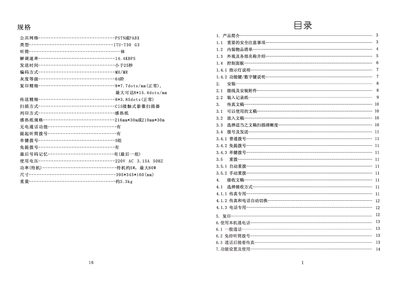
This manual provides a complete guide to the FAX5829 S fax machine, including safety precautions, unpacking, component identification, and detailed instructions for installing power and telephone connections. It also explains how to send and receive faxes, make telephone calls, and perform copying functions.
Additional sections cover function settings, routine maintenance, cleaning of the scanner and print head, and a troubleshooting guide for common issues such as paper jams, poor image quality, and power problems. This manual is written in Chinese.
| Power Supply | 220V AC 3.15A 50Hz |
|---|---|
| Standby Power | ≈5 W (max 80 W) |
| Dimensions | 395 mm × 345 mm × 160 mm |
| Weight | ≈3.3 kg |
| Thermal Paper Size | 216 mm × 30 m or 210 mm × 30 m |
Open the thermal paper cover, remove any jammed paper, and re‑install the roll correctly.
Check that the telephone line is connected to the "LINE" jack and that the receive mode is set to "Fax" or "Auto".
The machine accepts A4, B5, and North‑American Legal/Letter sizes up to 216 mm width.