
This is a product catalog of MNO. The catalog includes information about product models, features and specifications.
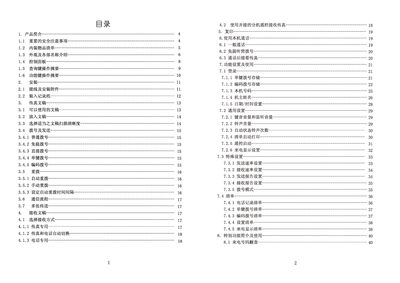
This manual provides detailed instructions for operating the Photar FAX‑6829 C fax machine, including how to select receive modes, dial numbers, send and receive documents, and use special functions such as call‑back and color‑screen settings.
It also covers installation steps, wiring diagrams, paper handling, maintenance procedures, troubleshooting tips, and the technical specifications of the device. This manual is written in Chinese.
| Memory size | 8M |
|---|---|
| Modulation rate | 14.4 KBPS |
| Transmission time | < 25 seconds |
| Gray scale levels | 64 levels |
| Standby power | ≈ 58 W (max 80 W) |
| Dimensions (W×D×H) | 450 × 305 × 160 mm |
| Weight | ≈ 3.6 kg |
Open the paper‑cover, remove the jammed paper, and re‑close the cover before continuing operation.
The machine can fax A4, B5, US Legal/Letter and other documents up to a width of 216 mm.
Enter the desired interval (0‑198 seconds) using the numeric keys and confirm with the start key.
Check that the power cord is properly connected and that the supplied voltage matches 220 V / 50 Hz.