
Key facts
- Brand
- Photar
- Model
- FAX5829
- Category
- Fax machine
- Industry
- Computers
- Documents
- 3
- Languages
- ZH
- Last added
- 2012-03-28
Start here
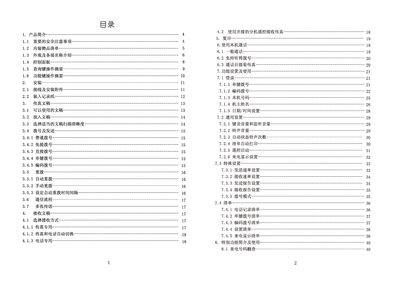
Photar FAX5829 C Fax Machine User Manual
This manual covers the essential safety precautions, unpacking checklist, and detailed description of the fax machine's exterior and control panel. It explains how to connect power and telephone lines, load thermal paper, and prepare documents for transmission.
Operational sections describe dialing methods, sending and receiving documents, automatic redial settings, and troubleshooting common issues such as paper jams, power problems, and poor image quality. Maintenance instructions include cleaning the scanner, print head, and thermal paper mechanism. This manual is written in Chinese.
Photar FAX5829 specifications
| Operating Temperature | 5°C‑35°C |
|---|---|
| Relative Humidity | 15%‑85% |
| Power Supply | 220 V AC, 50 Hz |
| Standby Power Consumption | ≈5 W |
| Full‑black Copy Power Consumption | ≈80 W |
| Scanning Method | CIS contact image sensor |
| Resolution (Normal) | 8 × 7.7 dots/mm |
| Supported Paper Sizes | A4, B5, US Legal/Letter |
| Original Sheet Thickness (single) | 0.08 mm‑0.13 mm |
All Photar FAX5829 documents by type
Day-to-day operation, settings and troubleshooting. Start here if the product is already set up.
Questions answered in these manuals
What temperature range is safe for operating the fax machine?
The fax machine should be used in an environment between 5 °C and 35 °C.
How do I clear a paper jam when the machine displays “检查文稿”?
Open the paper roll cover, lift the control panel, remove the jammed document, then close the panel and cover.
How do I clear jammed thermal paper?
Open the paper‑roll cover, remove the jammed portion, cut off any torn paper, and reinstall the roll.
How can I set the automatic redial interval?
Enter the desired interval with the numeric keys; the factory default is 44 seconds and it can be adjusted between 0 and 198 seconds.
How do I clear a jammed thermal paper?
Open the thermal paper cover, remove any jammed paper, and re‑install the roll correctly.
From: FAX5829 S Fax Manual
What should I do if the fax machine does not receive any faxes?
Check that the telephone line is connected to the "LINE" jack and that the receive mode is set to "Fax" or "Auto".
From: FAX5829 S Fax Manual