
This manual provides detailed instructions on how to operate the PHOTAR CALLER ID FAX-212/829C/859C, including how to set it up, use it, maintain it, and troubleshoot problems.
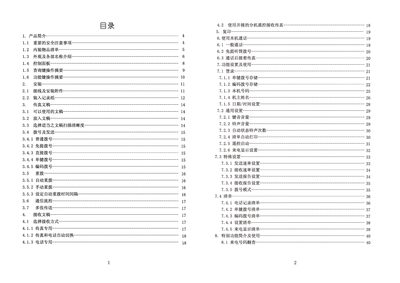
This manual covers safety precautions, installation steps, and connection of power, telephone, and external devices for the Photar FAX829C fax machine. It explains how to load thermal paper, insert documents, and select scanning resolution before sending.
Detailed sections describe dialing methods (ordinary, hands‑free, direct, single‑key, and coded dialing), automatic redial settings, various display and voice prompts, maintenance procedures such as clearing jammed paper, and a troubleshooting guide for common errors. Technical specifications of the device are listed at the end. This manual is written in Chinese.
| Standby power consumption | < 7 W |
|---|---|
| Dimensions (W×H×D) | 450 mm × 305 mm × 160 mm |
| Weight | ≈ 3.6 kg |
| Scanning gray levels | 64 levels |
| Maximum document size | 216 mm × 900 mm |
Open the paper cover, lift the green control lever, remove the jammed paper, then reload fresh thermal paper as described in the paper‑loading section.
Turn off the power, wait a few seconds, then turn it back on to reset the display.