
The document contains a list of characters and numbers, which includes the names and features of some products.
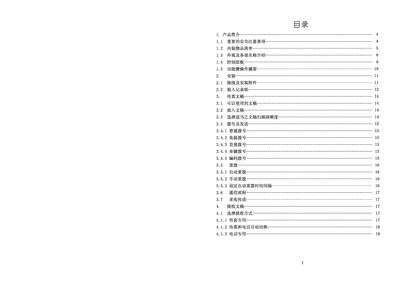
This manual covers essential safety precautions, installation procedures, and detailed operation instructions for the Photar 3829+ fax machine. It explains how to set up the device, configure dialing options, and use the built‑in functions such as single‑digit dialing, automatic redial, and fax transmission settings.
Additional sections provide troubleshooting guidance, cleaning and maintenance of the thermal paper, and specifications of the device, including communication speed, power consumption, dimensions, and environmental limits. This manual is written in Chinese.
| Communication Speed | 14.4 KBPS |
|---|---|
| Power Supply | 220 V AC, 2 A, 50 Hz |
| Standby Power Consumption | 7 W |
| Dimensions | 395 mm × 300 mm × 165 mm |
| Weight | 3.5 kg |
| Operating Temperature | 5 °C – 35 °C |
| Operating Humidity | 15 % – 85 % RH |
Follow the steps in section 8.1 “清除被相的感熱入” to remove the used thermal paper from the machine.
The standby power consumption is 7 W.
The device can operate at temperatures from 5 °C to 35 °C and humidity from 15 % to 85 % relative humidity.