
The document contains a list of products, including multiple brands and models. These products cover various fields, including communication equipment, home appliances, and office equipment. The document also includes some numbers and contact information.
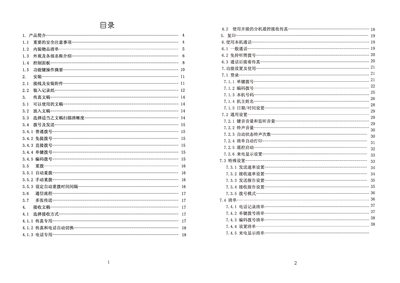
This manual covers everything needed to install and use the Photar FAX 829+ fax machine. It includes safety precautions, connection diagrams, paper loading, control‑panel functions, dialing methods, and settings for both sending and receiving faxes.
Later sections describe routine maintenance, how to clear paper jams, simple fault‑finding steps, and detailed technical specifications such as power requirements, dimensions, and scanning capabilities. This manual is written in Chinese.
| Power Supply | 220V AC 50Hz |
|---|---|
| Weight | ≈ 3.4 kg |
| Thermal Paper Size | 216 mm × 30 m or 210 mm × 30 m |
| Modulation Rate | 14.4 KBPS |
| Gray Levels | 64 |
| Scanning Method | CIS contact image scanner |
| Encoding | MHVMR |
Open the paper cover, pull the green control lever up, remove the stuck thermal paper, then reload the paper as described in the paper‑loading section.
Make sure the document was placed face‑up, verify that the receiving fax machine’s paper is correctly installed, and check the printing head for proper operation.
The device requires a 220 V AC power source at 50 Hz.