
This file is a user manual for Philips SPF4612 digital photo frame, which introduces how to use the digital photo frame operations, including switching modes, selecting pictures, setting clock, setting calendar, etc.
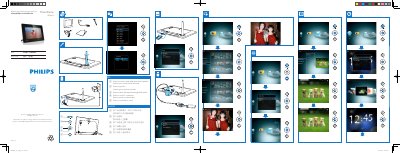
This manual explains how to operate the Philips SPF4612 PhotoFrame, including switching between slideshow, clock and calendar modes, navigating menus, and adjusting settings. It also covers how to power the device on and off and how to use the remote control functions.
Safety precautions, power adaptor details, environmental disposal instructions, and compliance statements are included to ensure proper use and end‑of‑life handling of the product.
| Power mode supported | AC powered |
|---|---|
| Efficiency level | V |
| Average consumption (system on) | 5 W |
| Power adaptor model number | ASSA1I-090100 |
| Input voltage | AC 100‑240V ~ 50‑60Hz 0.3A |
| Output voltage | DC 9 V 1000 mA |
Press the button labeled “a” to switch mode between slideshow, clock and calendar.
Use the supplied adaptor model ASSA1I‑090100, which accepts AC 100‑240 V input and provides DC 9 V 1000 mA output.