
The document provides information on registering and getting support for the Philips PhotoFrame SPF4610. The product offers various features and characteristics, including support for multiple storage card formats, high-quality display, and user-friendly interface.
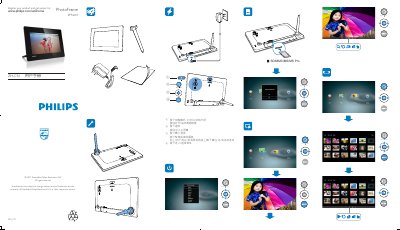
The manual explains how to register the product and obtain support, and describes the basic operation of the PhotoFrame. Press the mode button to switch between slideshow, clock, and calendar modes, press and hold the power button to turn the device on or off, and use the navigation buttons to move through menus and confirm selections.
It also contains safety and maintenance instructions: clean the screen with a soft cloth after powering off, avoid liquids, fire, drops, and only use the supplied AC adapter. The document includes recycling information and compliance statements for EU directives and RoHS. This manual is written in Chinese.
| Input Voltage | 100-240V 50/60Hz 0.3A |
|---|---|
| Output Voltage / Current | 5.0V 1000mA |
| Average Power Consumption | 4 W |
| Power Mode | AC |
Press the mode button to toggle between slideshow, clock, and calendar displays.
Press and hold the power button to turn the digital photo frame on or off.