
AZ5140 is a multi-functional sound machine that supports VCD, MP3, CD, tape playback, recording, fast forward and rewind, loop playback, random playback and other functions.
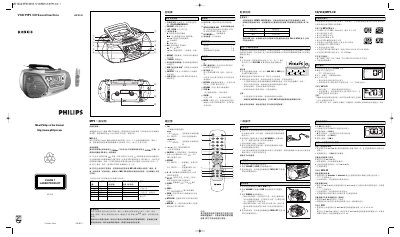
The Philips AZ5140 MP3‑CD Soundmachine is a portable audio device that plays CD, VCD, MP3‑CD, FM, MW and cassette tapes. It offers features such as dynamic bass boost, shuffle, repeat, programming of tracks and track sets, and video/audio output for TV connection.
This user manual explains the control keys, how to set up the device, record and play audio, program MP3‑CD tracks, adjust TV format (PAL/NTSC), replace batteries, perform routine maintenance, and resolve common problems. This manual is written in Chinese.
| Battery type | 6 x 1.5V R14/ UM2/ C CELL |
|---|---|
| Battery play time (alkaline) | ≈ 9 hours |
| Supported MP3 bitrates | 32‑320 kbps |
| Supported MP3 sample frequencies | 8 kHz, 16 kHz, 32 kHz, 44.1 kHz, 48 kHz |
| Maximum number of tracks | 400 |
| Maximum track length | 99 min 59 sec |
In stop mode, press the PROG key on the remote to enter programming mode, select a track with the number keys or ∞/§ keys, then press PROG again to save it.
Press the NTSC/PAL key on the remote to toggle between NTSC and PAL video standards.
Insert two AAA, R03 or UM4 batteries into the remote’s battery compartment, observing correct polarity.
Press the SHUFFLE key while playing, paused, or stopped to start shuffle mode; press SHUFFLE or 9 again to exit.